
 Online Prospect Flier Arabic
Fill-in your online club information and reach out virtually to prospective members with this digital document.
View file
 Test Resource
The Toastmasters logo can be used on photography as long as the placement of the logo has good contrast between the logo and the image behind the logo, and the logo isn’t part of anything specific in the image; the logo also should not directly cover people’s faces or compete with the image. Use the Toastmasters logo on a background that has sufficient contrast, make sure the logo is completely legible, and use Toastmasters-approved photography. Place the logo with the minimal- required clear space around it—and ideally at the top-left or bottom-right of the image.
View file
Test Resource
The Toastmasters logo can be used on photography as long as the placement of the logo has good contrast between the logo and the image behind the logo, and the logo isn’t part of anything specific in the image; the logo also should not directly cover people’s faces or compete with the image. Use the Toastmasters logo on a background that has sufficient contrast, make sure the logo is completely legible, and use Toastmasters-approved photography. Place the logo with the minimal- required clear space around it—and ideally at the top-left or bottom-right of the image.
View file

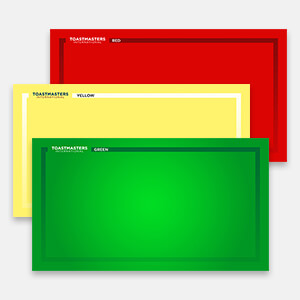 Timer Zoom Backgrounds
These backgrounds feature the Toastmasters International logo on green, yellow, and red. When you are the Timer for an online club meeting, switch between these backgrounds to indicate how much time the speaker has remaining! The last file is in English and the others are in the languages noted.
Arabic - العَرَبِيَّة French - Français German - Deutsch Japanese - 日本語 Korean - 한국어 Portuguese - Português Simplified Chinese - 简体中文 Spanish - Español Tamil - தமிழ் Traditional Chinese - 繁體中文 View file Zoom Registration Page Banners and Logo
Use this logo and banner to brand your Zoom registration page. With three banner choices, you can choose the one that best fits your club’s needs!
View file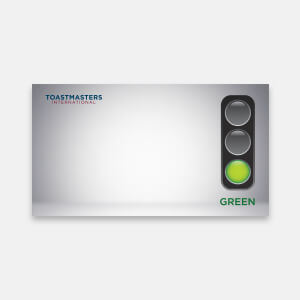 Zoom Stop Light Timer Backgrounds
These Zoom virtual backgrounds feature a green, yellow, or red traffic light. When you are the Timer for an online or hybrid club meeting, switch between these backgrounds to indicate how much time the speaker has remaining!
View file